IIBA ECBA Application Process
The 14 key steps to complete your ECBA application is as follows:
Schritt 1 – IIBA-Konto erstellen
Step 2 - Choose Certification
Step 3 - Get started with Application Requirements
Step 4 - Submit Professional Development Record
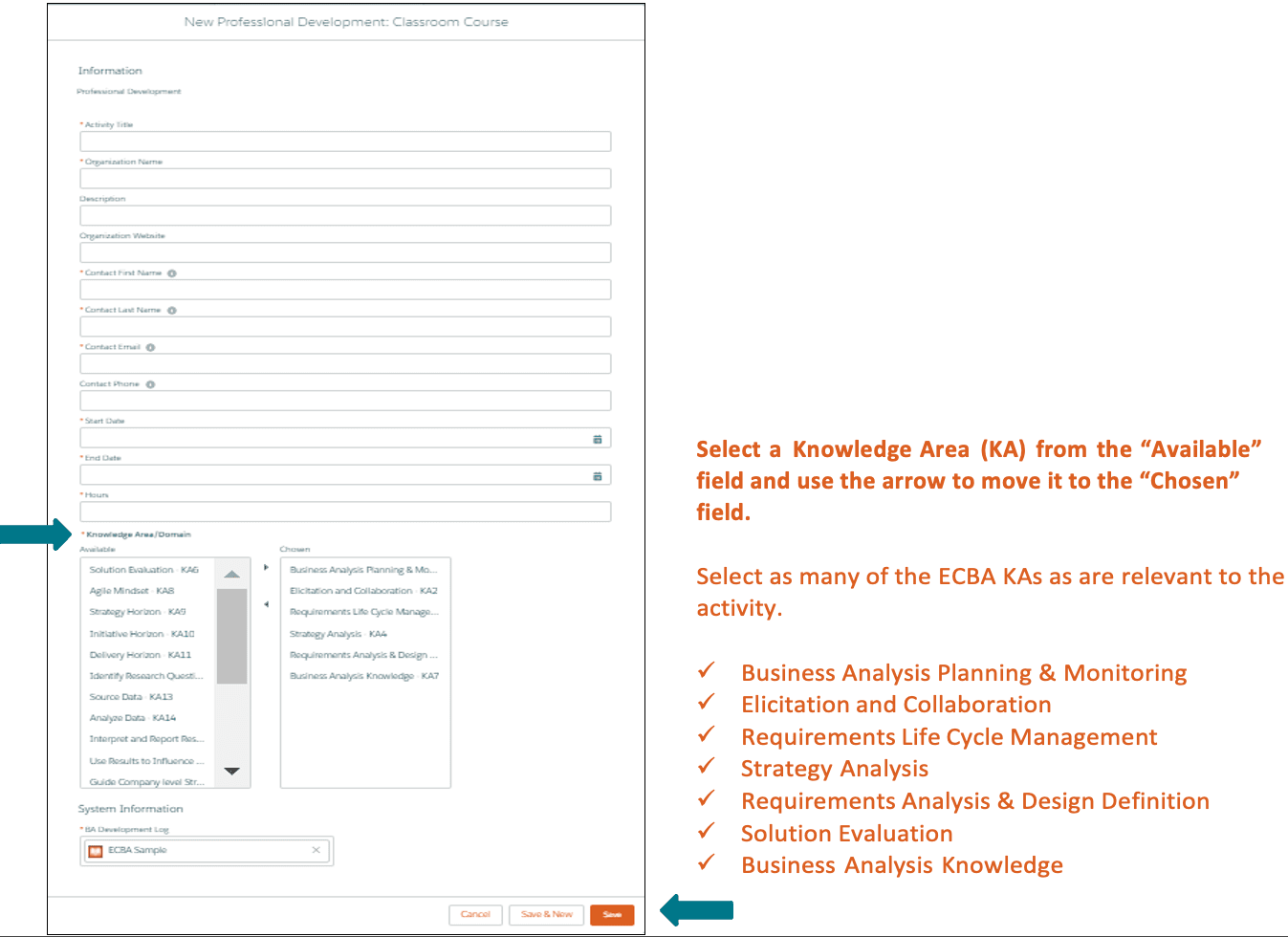
Step 5 - Record Hours for Classroom Course
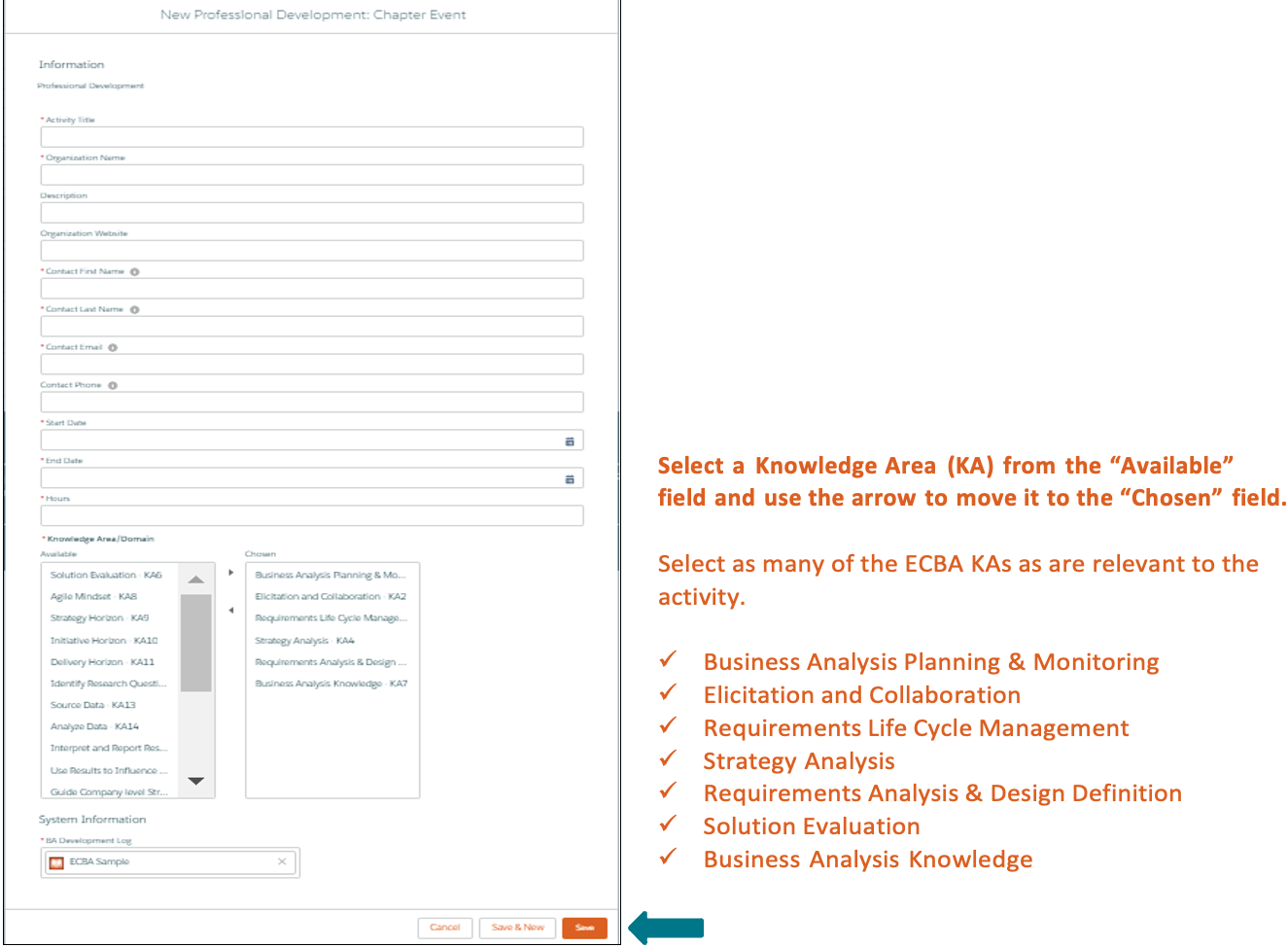
Step 6 - Record Hours for a Chapter Event
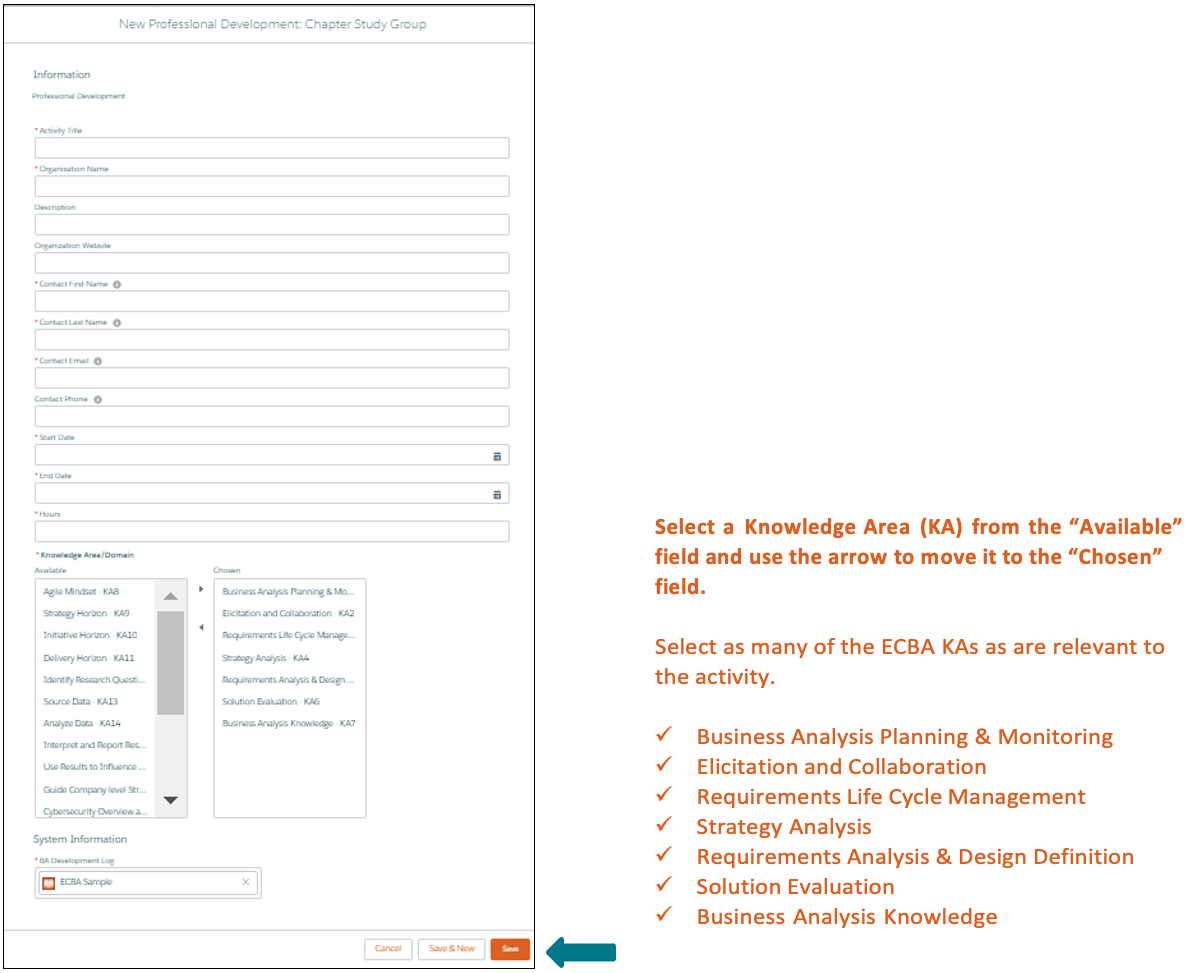
Step 7 - Record Hours for a Chapter Study Group
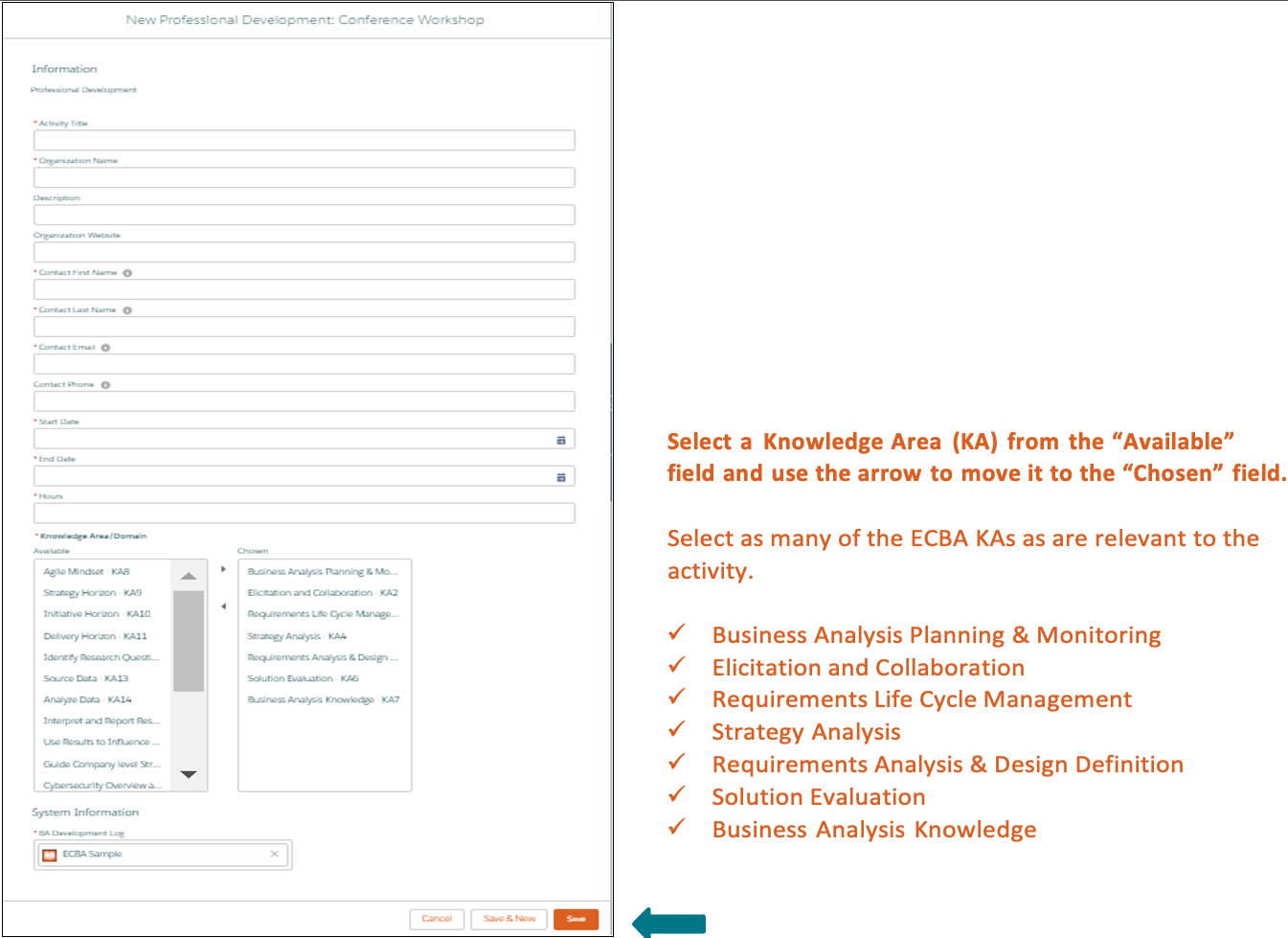
Step 8 - Record Hours for a Conference Workshop
Step 9 - Record Hours for ECBA Self-Directed Learning
Step 10 - Record Hours for an Online Course
Step 11 - Submit Application
Step 12 - Agree to Attestations
Step 13 - Pay ECBA Examination Fee
This blog outlines the steps to follow to complete your ECBA Application process.
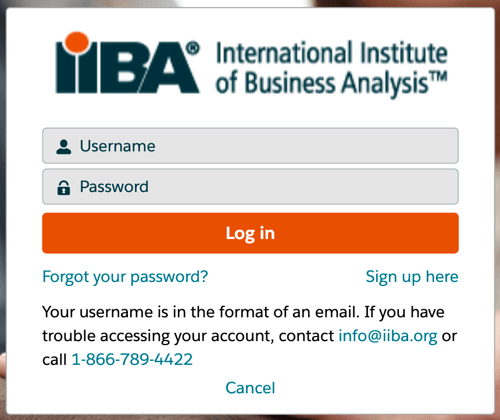
- Log in with your IIBA credentials or create an account. If this is your first time logging in, you will receive an email to activate your IIBA profile and change.

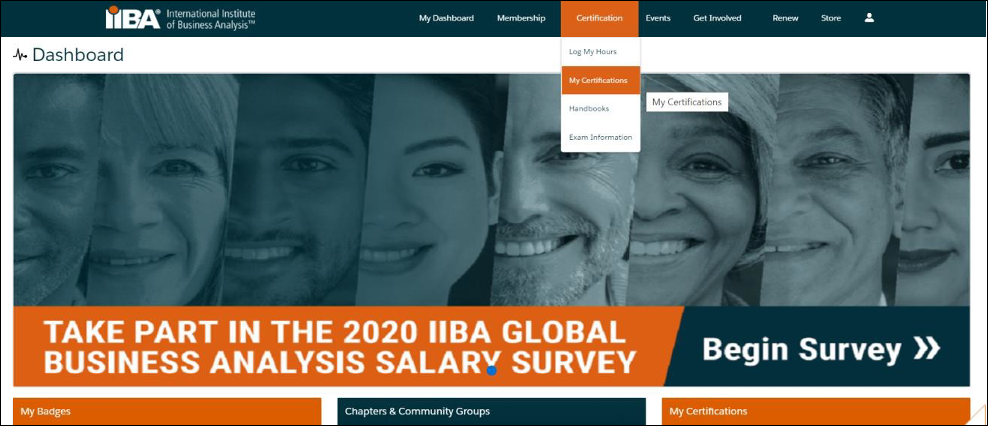
Access Certification Handbook
Before you Get Started:
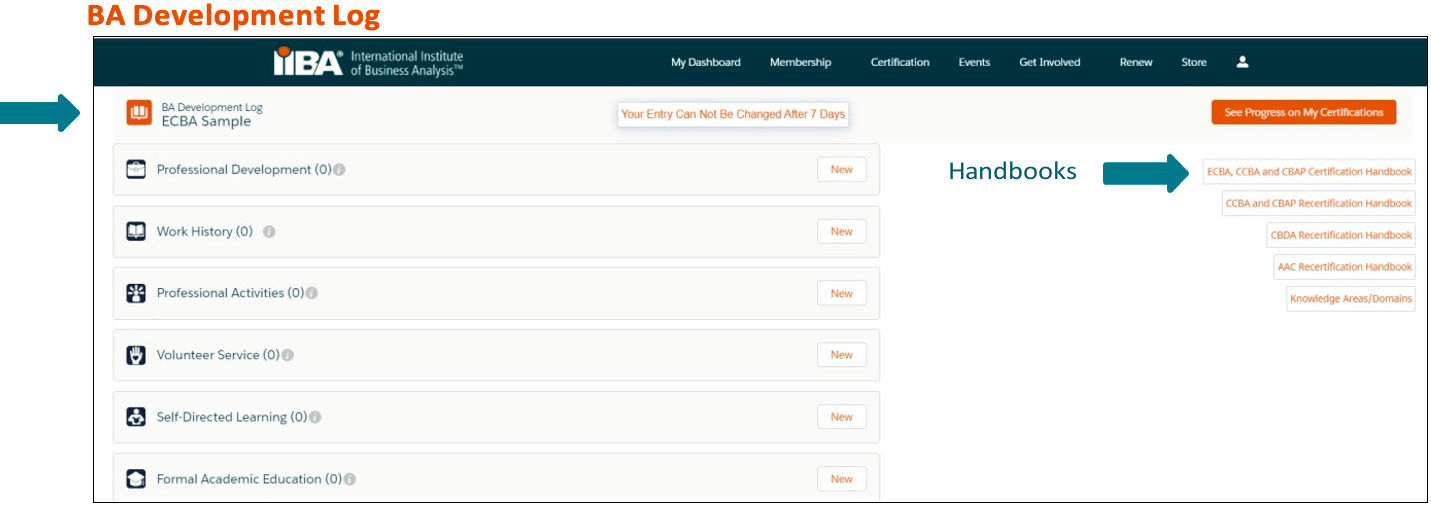
The ECBA Application fee is non-refundable and non-transferrable. Ensure you meet the requirements for ECBA Training by reviewing the Certification Handbook here or by selecting Log My Hours and accessing the ECBA, CCBA, and CBAP Certification Handbook from the right side of the page.
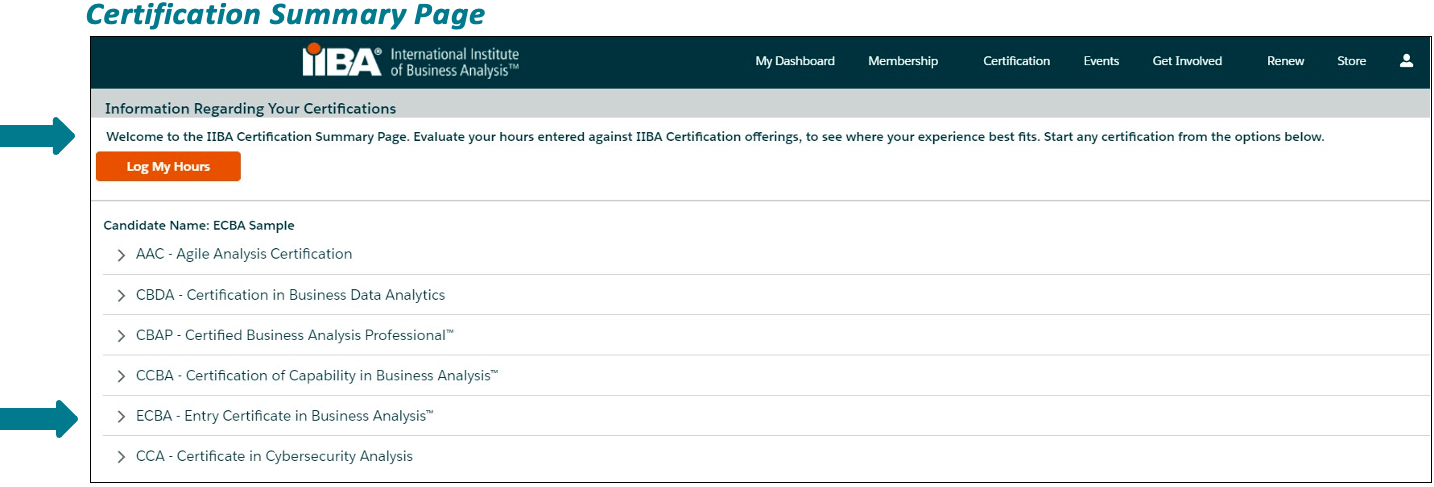
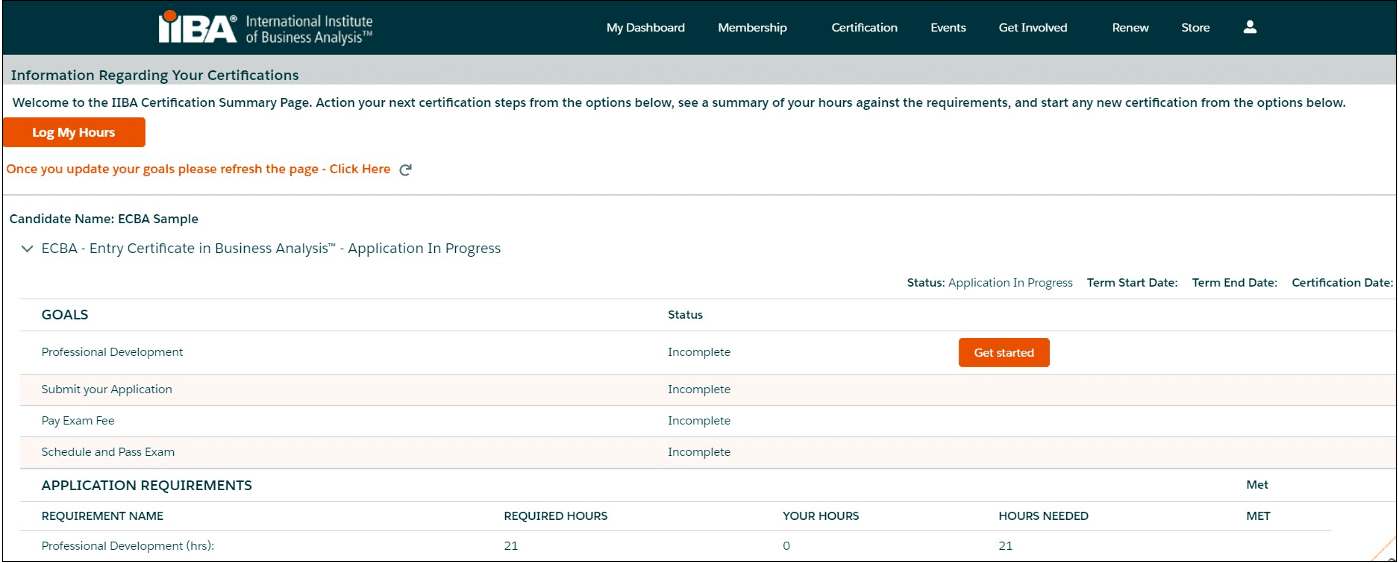
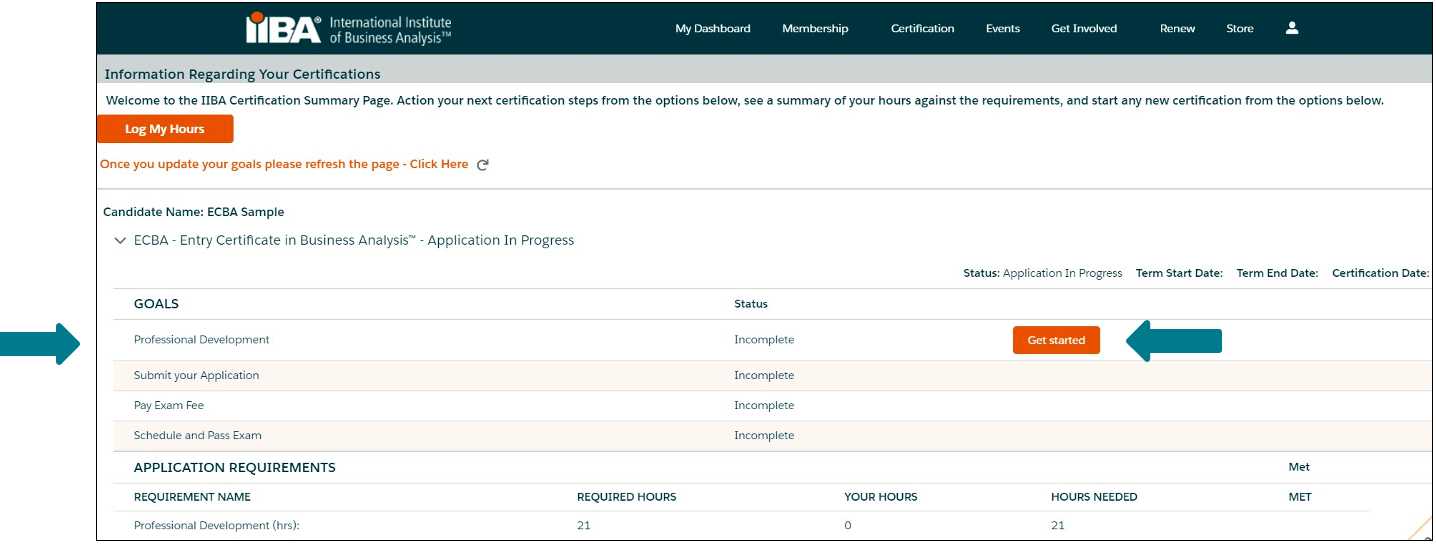
Throughout this process, you will use the Certification Summary Page and the BA Development Log to meet your goals and monitor your progress.
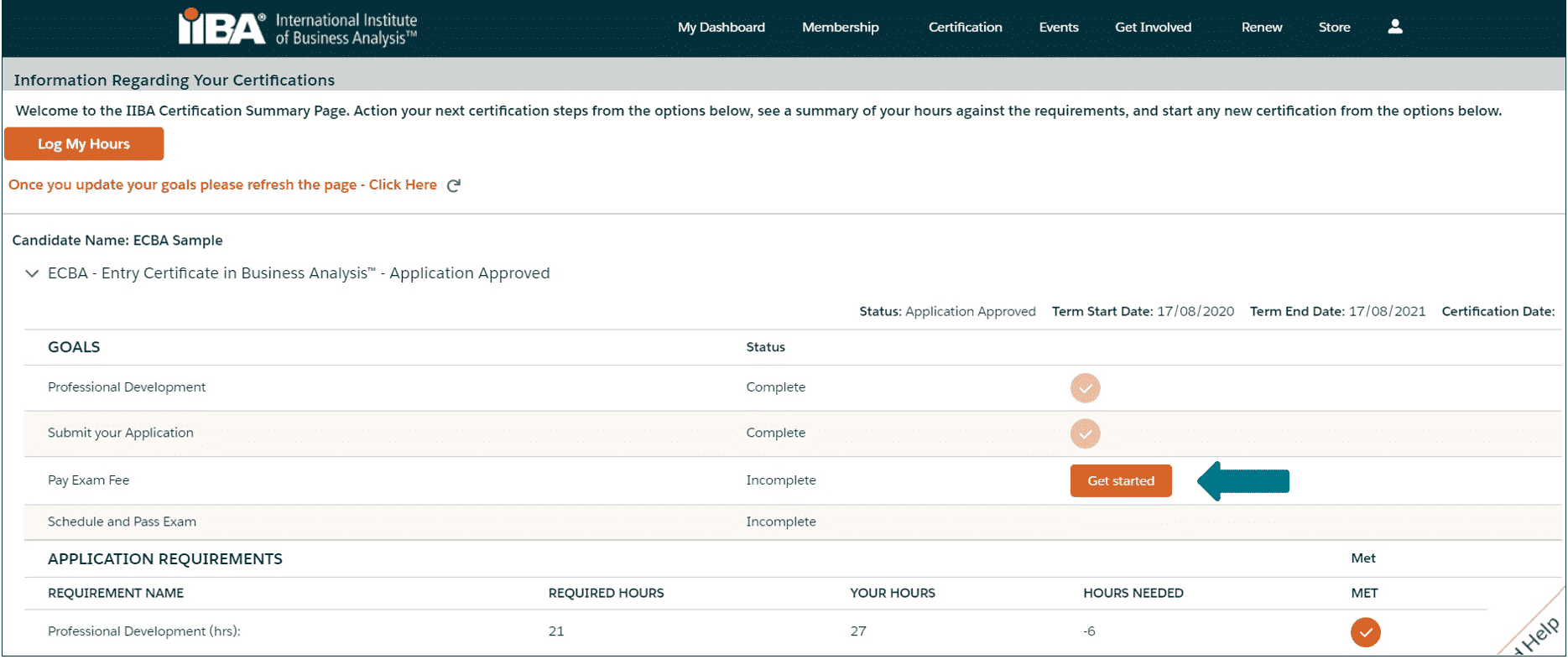

Complete Requirements and Policies
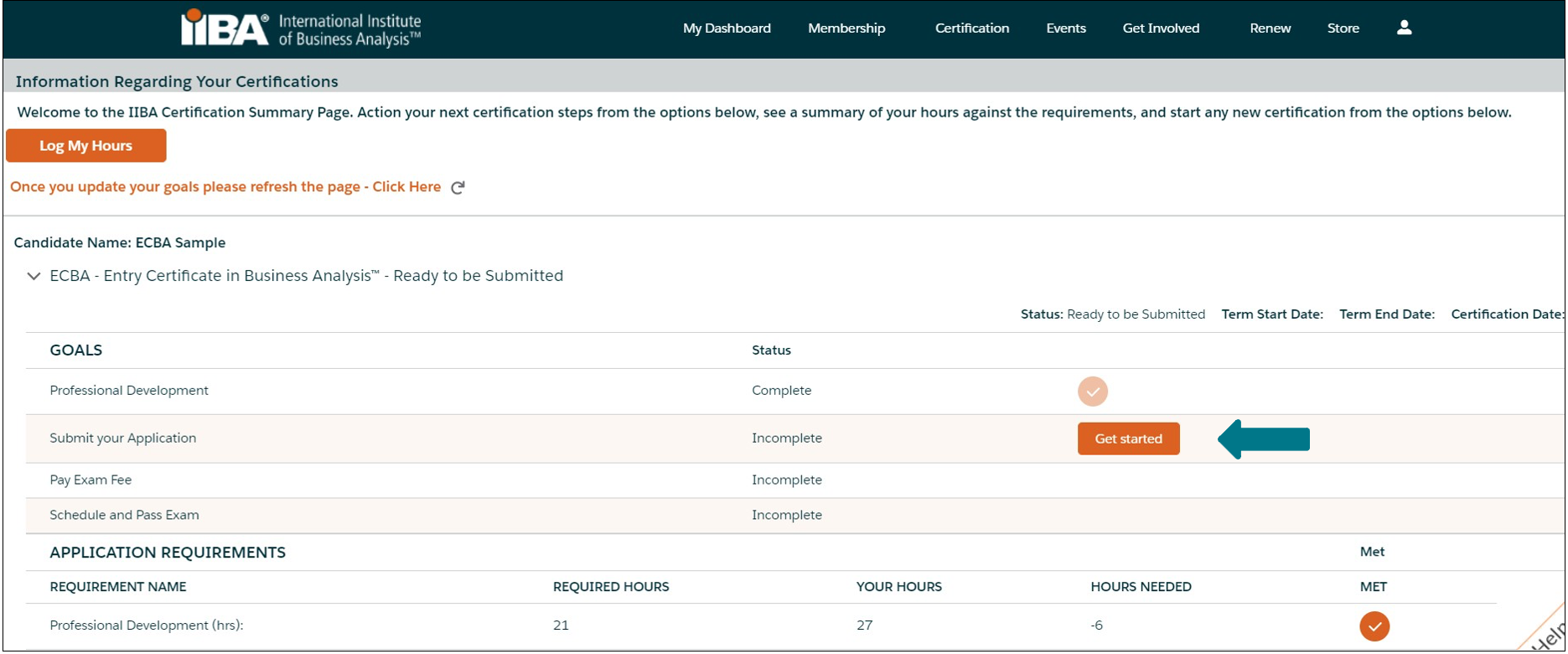
- Complete each of the goals by selecting Get Started. Refer to the Certification Handbook for Requirements and Policies.


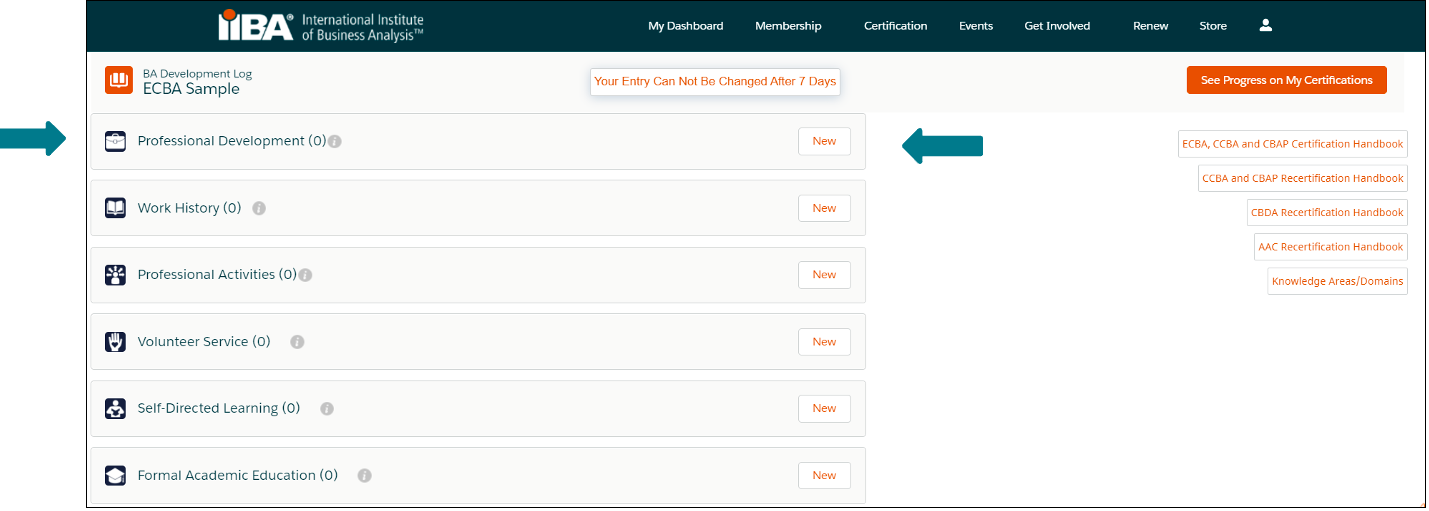
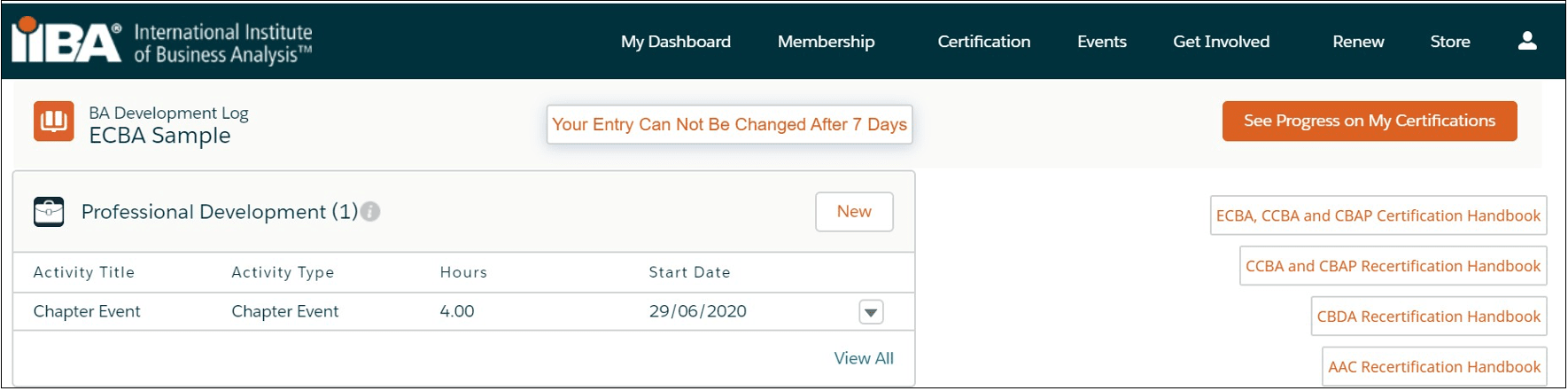
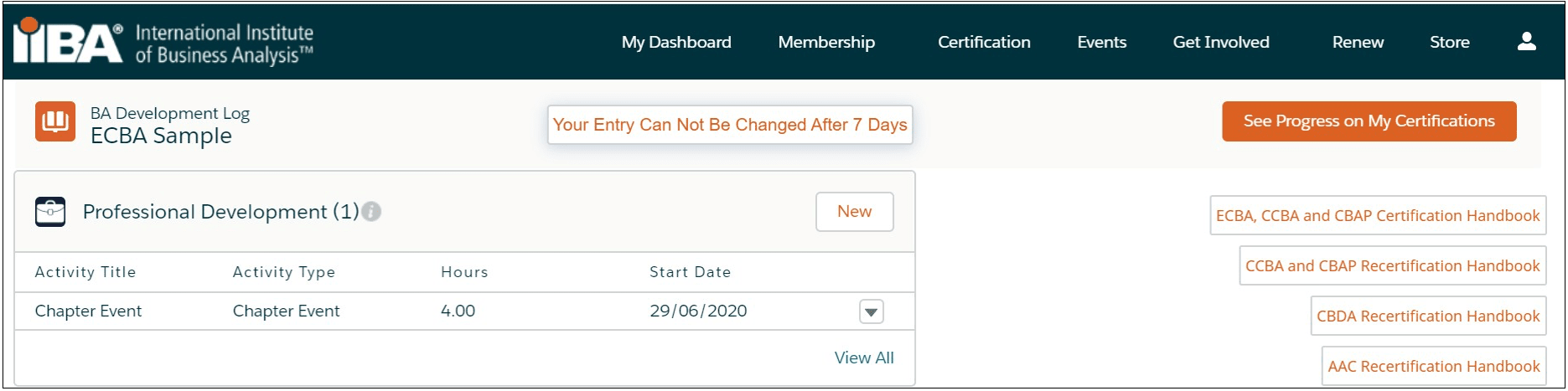
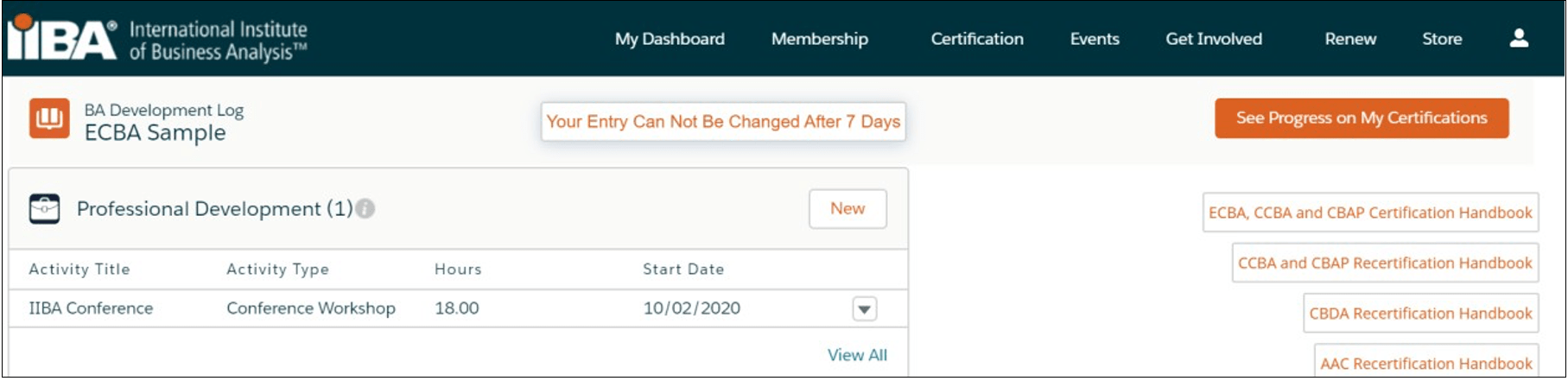
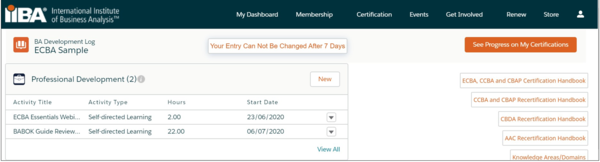
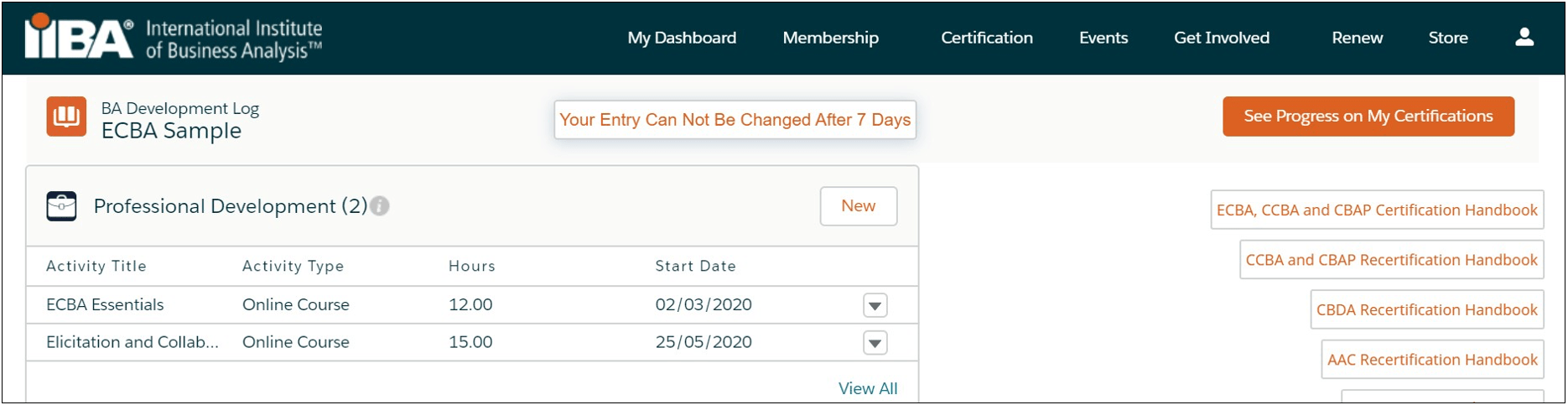
You will land on the BA Development Log from where you can log your hours under the Professional Development category.
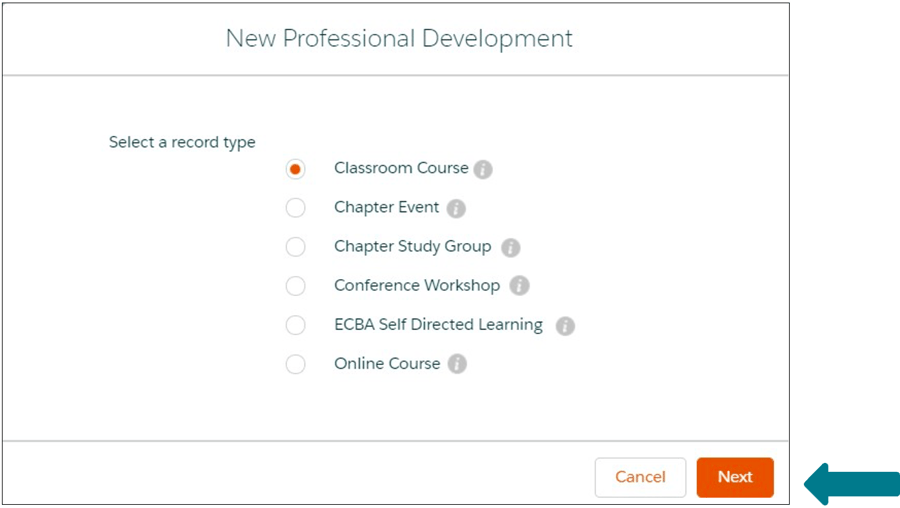
The requirement is to log a minimum of 21 hours of professional development. The content must align with the BABOK® Guide v3.0 and can consist of any of the following activities:
- Classroom courses (IIBA® Education Endorsed Provider, “EEP” courses, other training providers courses)
- Chapter events (presentations, workshops, conference days)
- Chapter study groups
- Conferences (keynotes, track sessions, tutorials, workshops)
- Self-directed learning (reading/studying the BABOK® Guide 0, archived webinars)
- Online courses (IIBA® Education Endorsed Provider courses, other training providers courses, live webinars)
Log Professional Development Hours
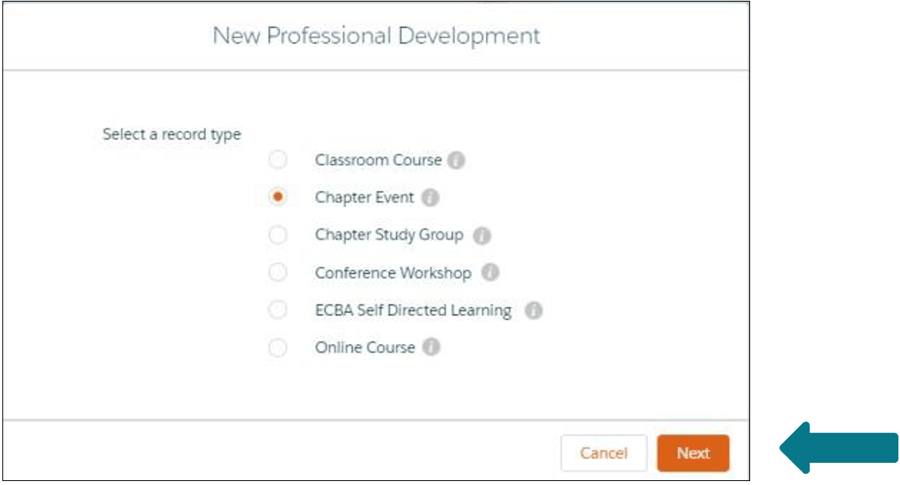
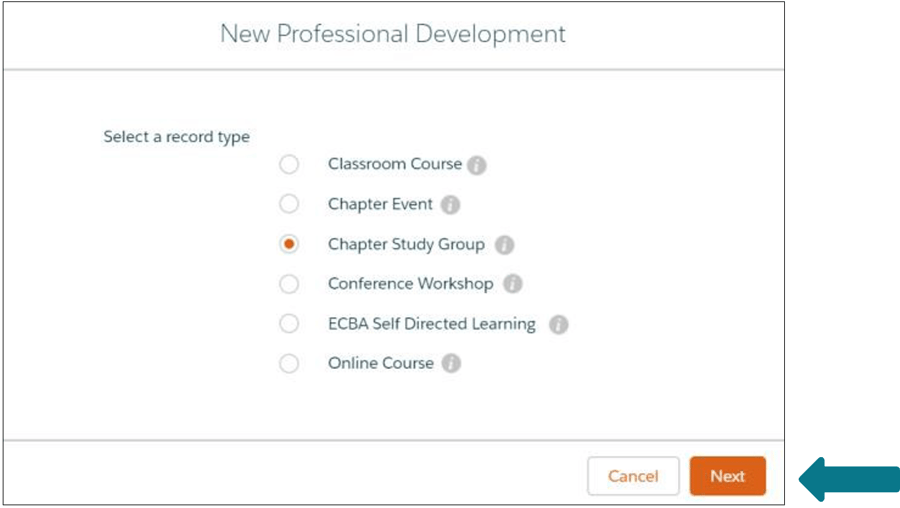
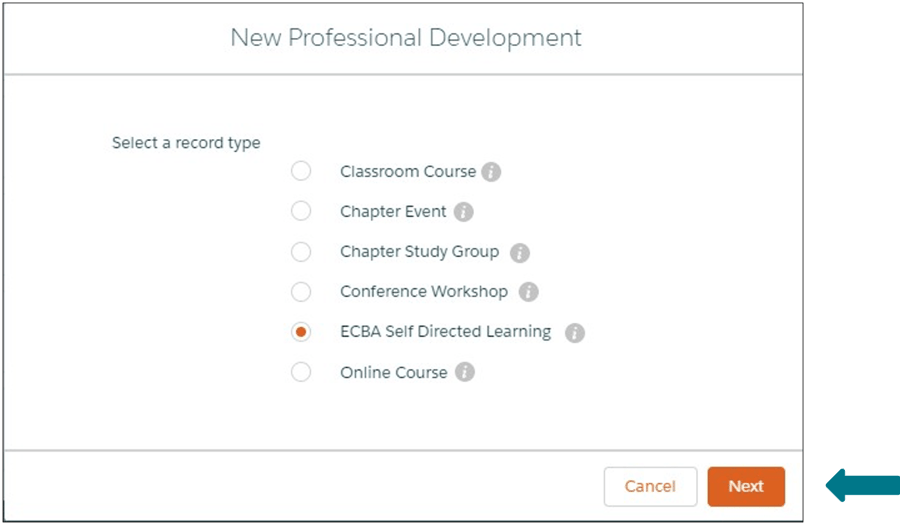
- Select New to begin to log your hours.

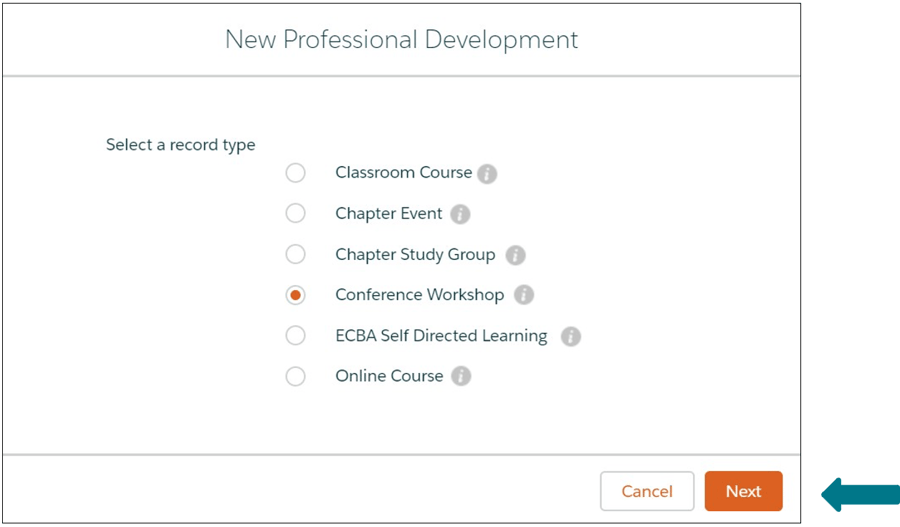
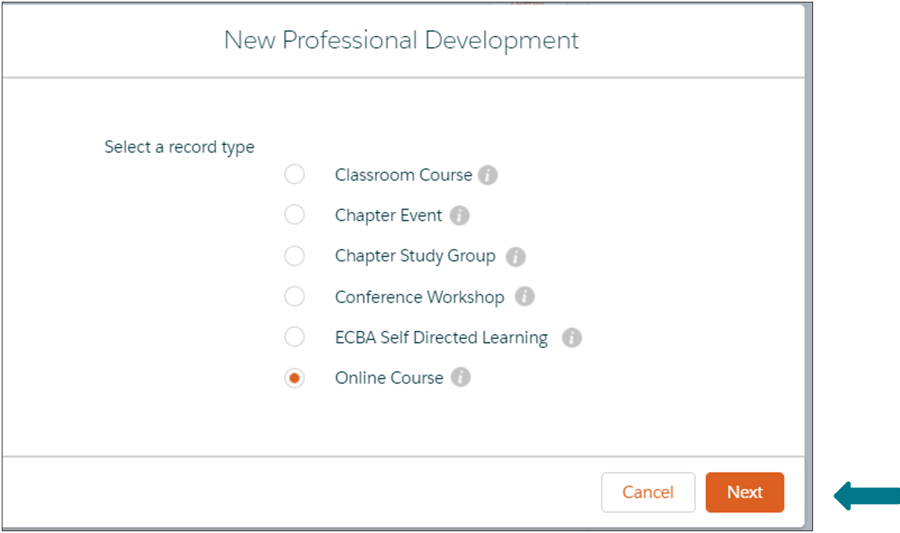
The next few steps illustrate how to record your hours under the Professional Development category in each of the six record types given in the image below.


- Füllen Sie die Angaben aus und speichern Sie sie.

- Die Stunden werden in Ihrem BA-Entwicklungsprotokoll.

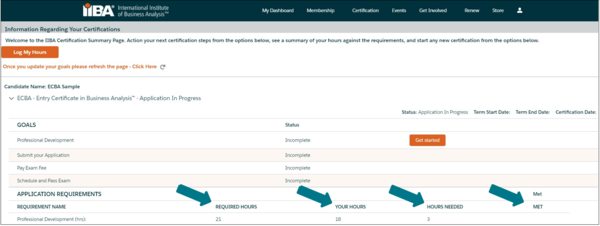
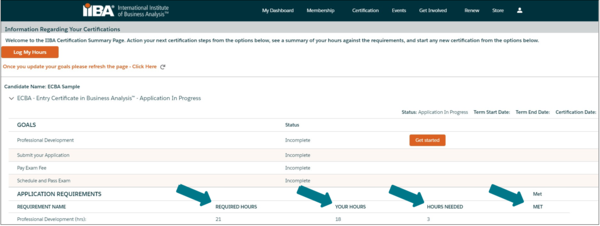
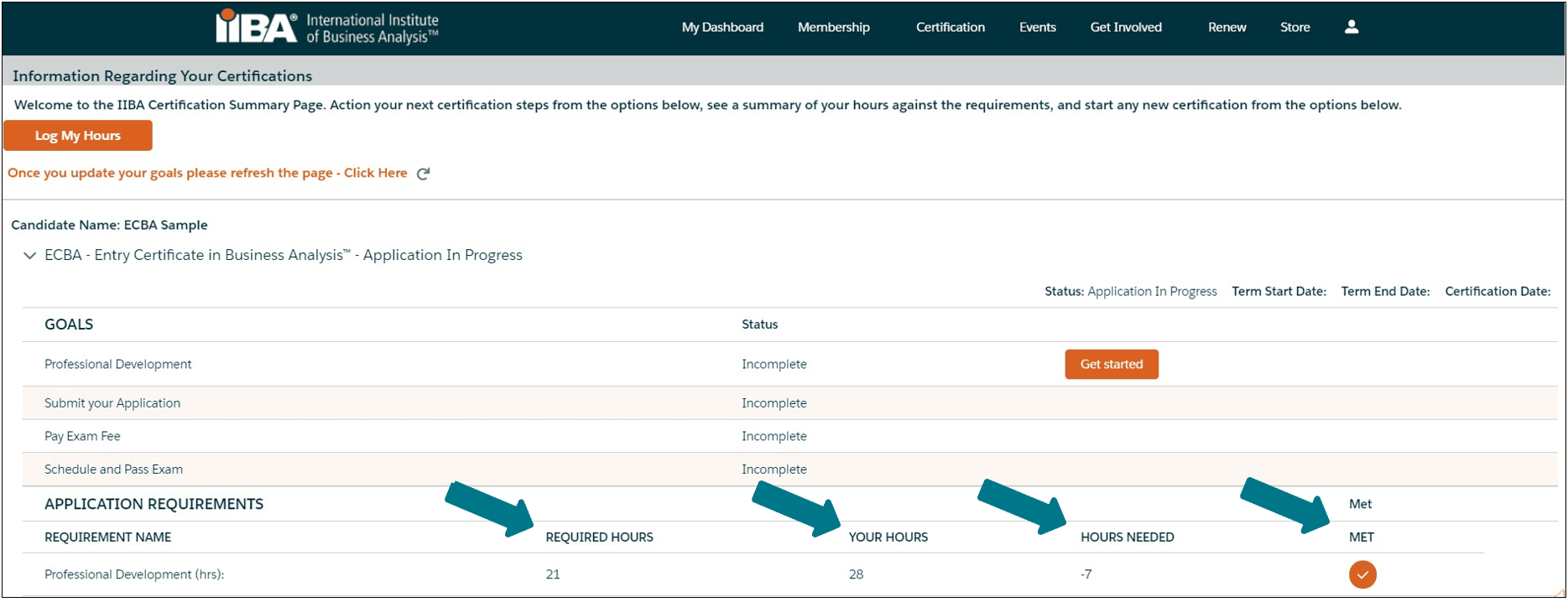
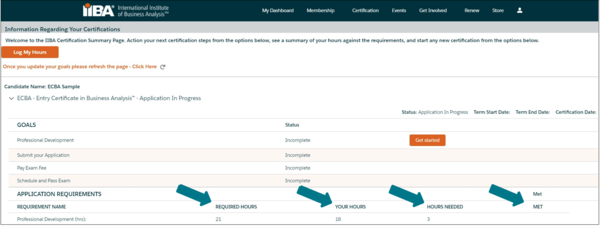
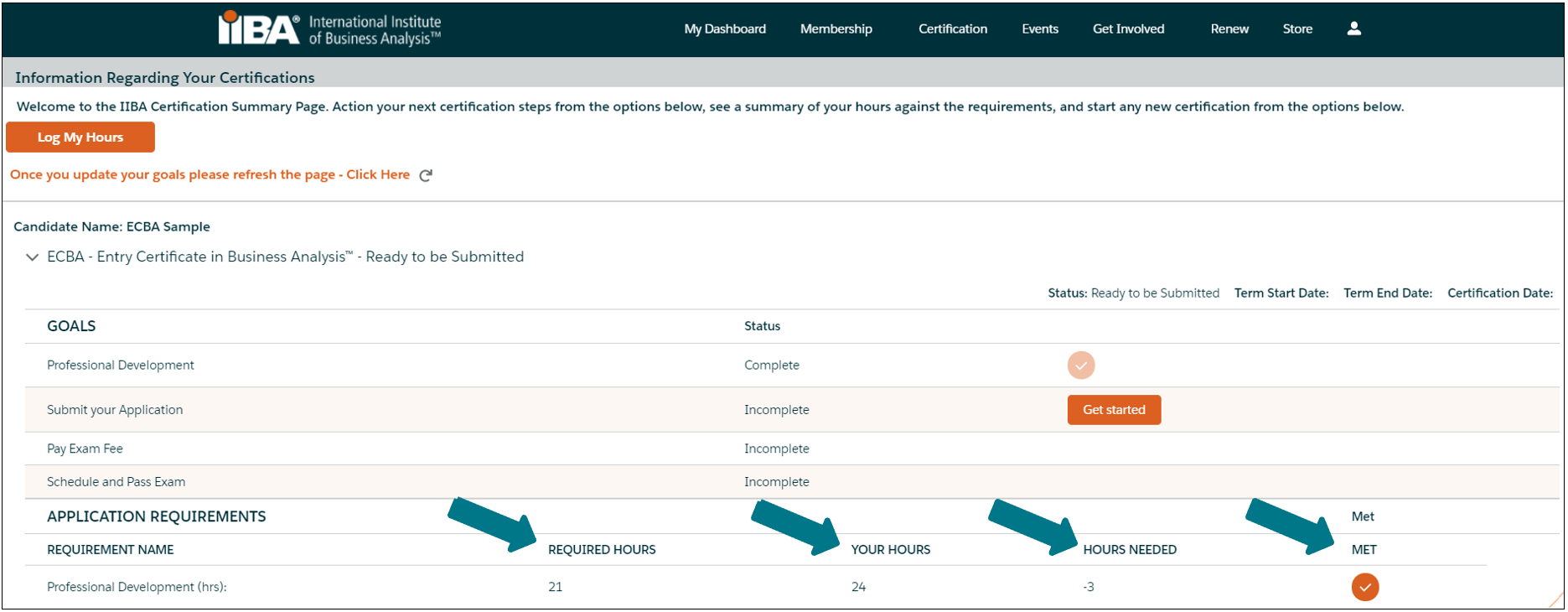
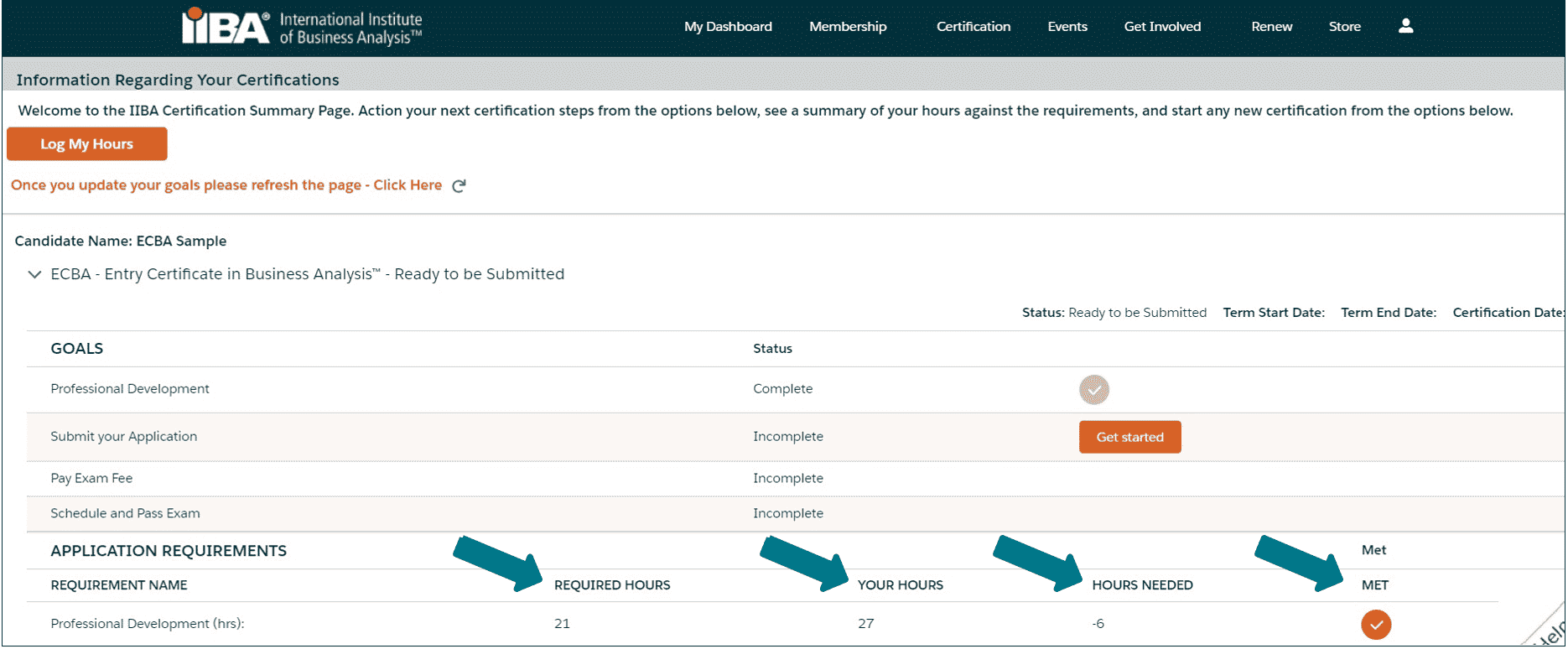
Select See Progress on My Certifications for the Certification Summary Page where the system tracks Required Hours; Your Hours; Hours Needed and Met.
Once the 21 hours are met, a checkmark appears next to the Met status and the Professional Development goal status is Complete.


- Füllen Sie die Angaben aus und speichern Sie sie.

- Die Stunden werden in Ihrem BA-Entwicklungsprotokoll.

Select See Progress on My Certifications for the Certification Summary Page where the system tracks Required Hours; Your Hours; Hours Needed and Met.
Once the 21 hours are met, a checkmark appears next to the Met status and the Professional Development goal status is Complete. The following Log has not yet met the hours.


- Füllen Sie die Angaben aus und speichern Sie sie.

- Die Stunden werden in Ihrem BA-Entwicklungsprotokoll.

Wählen Sie „Fortschritt bei meinen Zertifizierungen anzeigen“ für die Seite „Zertifizierungsübersicht“ , auf der das System erforderliche Stunden, Ihre geleisteten Stunden sowie die noch benötigten und bereits erfüllten Stunden erfasst.
Once the 21 hours are met, a checkmark appears next to the Met status and the Professional Development goal status is Complete. The following Log has not yet met the hours.


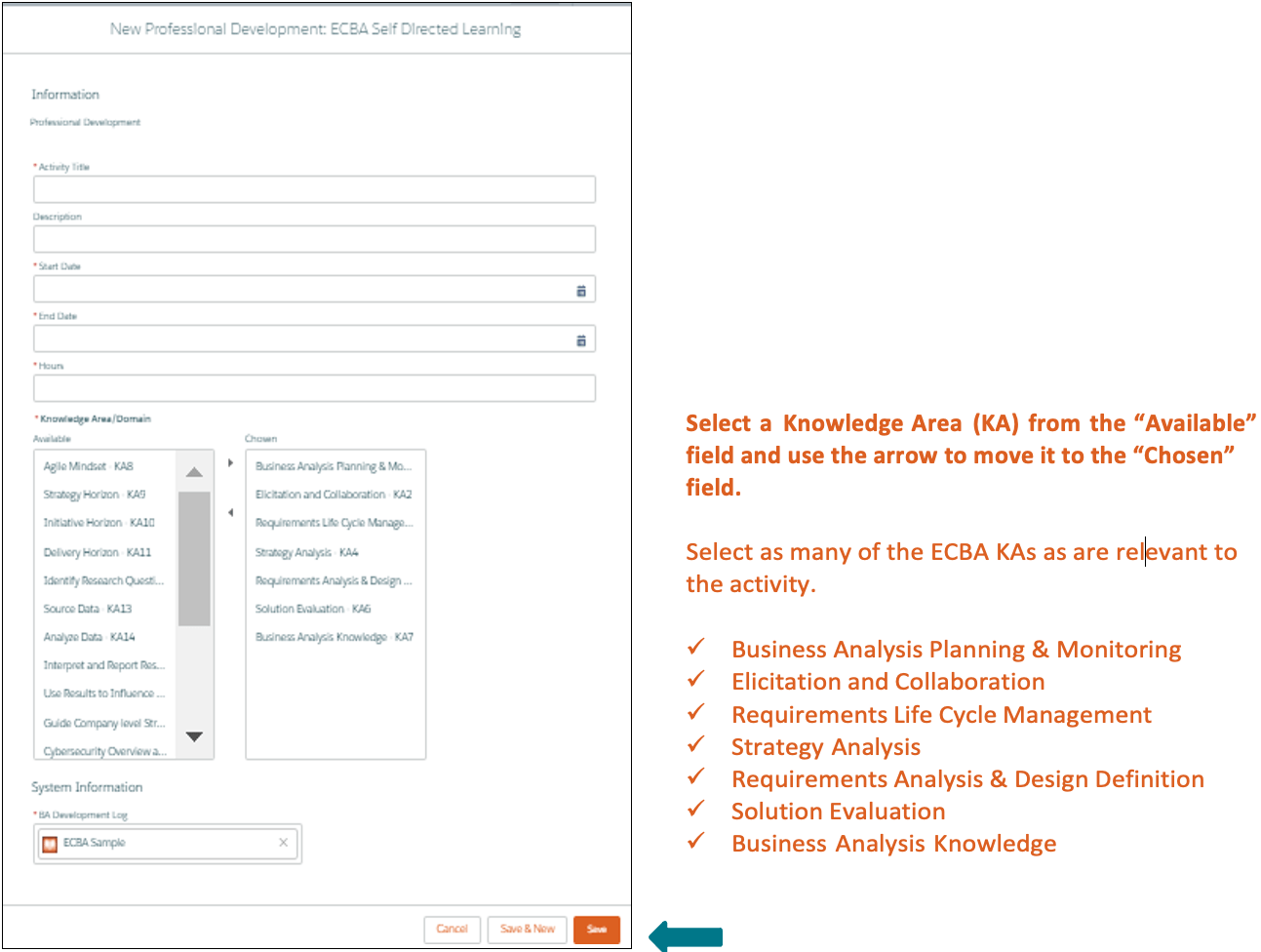
- Füllen Sie die Angaben aus und speichern Sie sie.

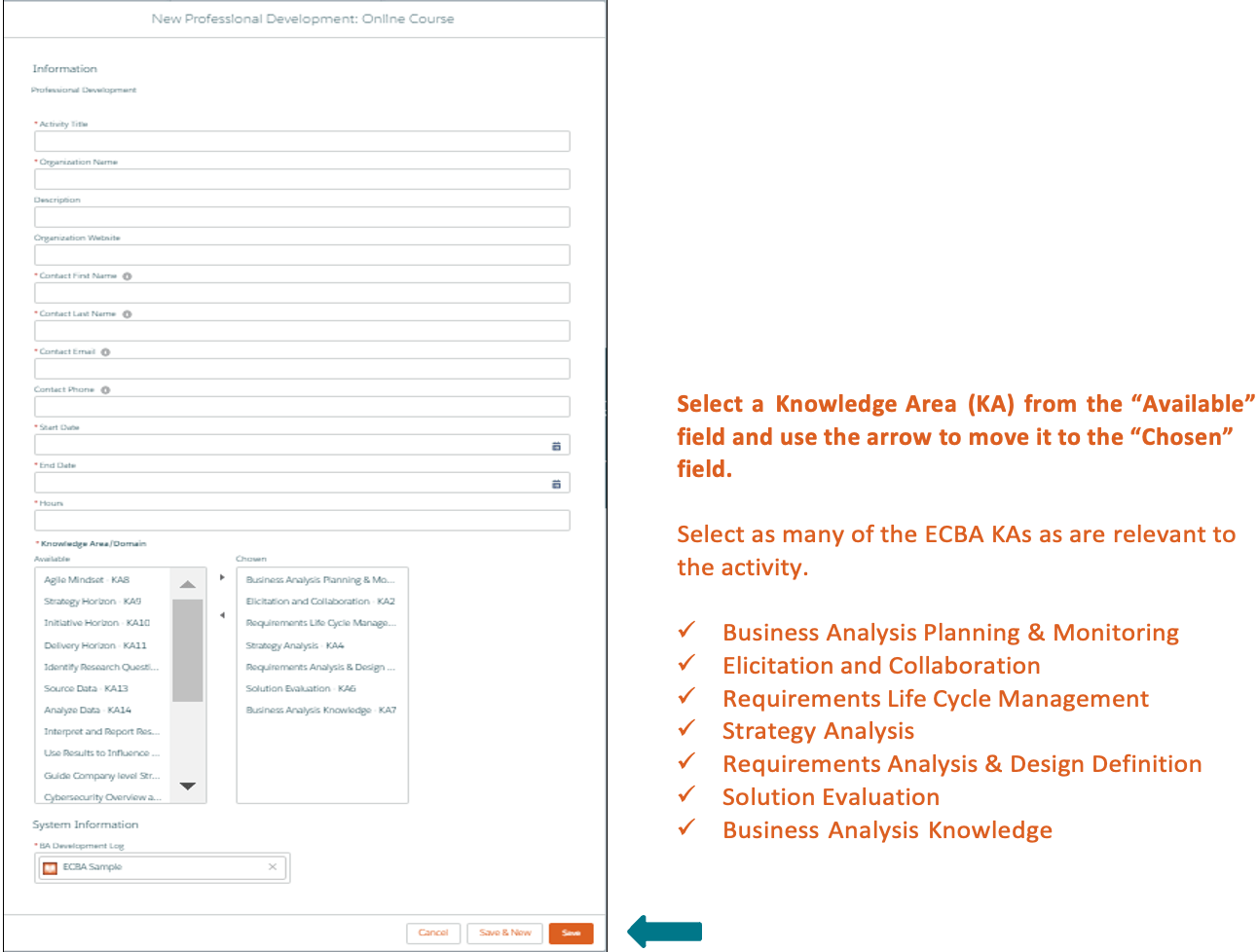
The hours will appear in your BA Development Log.

Wählen Sie „Fortschritt bei meinen Zertifizierungen anzeigen“ für die Seite „Zertifizierungsübersicht“ , auf der das System erforderliche Stunden, Ihre geleisteten Stunden sowie die noch benötigten und bereits erfüllten Stunden erfasst.
Once the 21 hours are met, a checkmark appears next to the Met status and the Professional Development goal status is Complete. The following Log has not yet met the hours.


- Füllen Sie die Angaben aus und speichern Sie sie.

- Die Stunden werden in Ihrem BA-Entwicklungsprotokoll.

Select See Progress on My Certifications for the Certification Summary Page where the system tracks Required Hours; Your Hours; Hours Needed and Met
Once the 21 hours are met, a checkmark appears next to the Met status and the Professional Development goal status is Complete.


- Füllen Sie die Angaben aus und speichern Sie sie.

- Die Stunden werden in Ihrem BA-Entwicklungsprotokoll.

Select See Progress on My Certifications for the Certification Summary Page where the system tracks Required Hours; Your Hours; Hours Needed and Met.
Once the 21 hours are met, a checkmark appears next to the Met status and the Professional Development goal status is Complete.

ECBA Application Term
- Ihre einjährige Antragsfrist
Once “Approved”, you will have a one-year Application Term in which to schedule and take your exam. Within the one-year, you have three attempts, each at a fee, to write the exam, if required. Certification Fees apply.
Ihre einjährige Antragslaufzeit beginnt an dem Tag, an dem Ihr Antrag genehmigt wird.
Sollte Ihre Anmeldung verfallen, müssen Sie die Anmeldegebühr erneut entrichten, erneut nachweisen, dass Sie die Voraussetzungen erfüllen, und die Prüfungsgebühr bezahlen.